
Personas
AI Personas are behavioral clusters automatically discovered from your warehouse data. Simon AI analyzes purchase patterns, engagement behaviors, and affinities across your contact base and groups contacts who behave similarly into personas — without manual segment definition.
Limited availability — not currently being expandedAI Personas is a beta available to a small number of organizations that were onboarded through a services engagement. It is not currently being expanded to new organizations, and it is not the recommended way to find high-affinity audiences.
For affinity-based targeting, use AI Chat to build an affinity score as an AI-generated dataset — see Affinity and Propensity Scoring. That capability is included with the Simon AI core platform and is what powers Simon's production affinity results.
Getting started
Navigate to AI > Personas to see the full distribution of your contact base across personas.
No manual setup requiredPersonas are generated automatically from your warehouse data. Once enabled for your organization, they appear in the Personas page ready to explore.
What you get
Each persona includes:
| Attribute | Description |
|---|---|
| Name and description | A human-readable profile of who this group is and what drives them |
| Key traits | Behavioral characteristics like "Budget-conscious" or "Brand-loyal" |
| Motivations | What drives this group to engage and purchase |
| Typical behaviors | Common actions and patterns across the group |
| Contact count | How many contacts belong to this persona |
| Percentage of base | What share of your total contact base this persona represents |
| Lifetime value (LTV) | Average LTV across contacts in the persona |
| Top product categories | The categories this group purchases most |
| Sample contacts | A preview of representative contacts with email, LTV, last purchase date, and top categories |
Personas refresh as behavior changes. New contacts are evaluated based on early signals and similarity to existing groups. Every contact receives a persona ID that becomes a stable attribute you can use in segments and campaigns immediately.
Exploring your personas
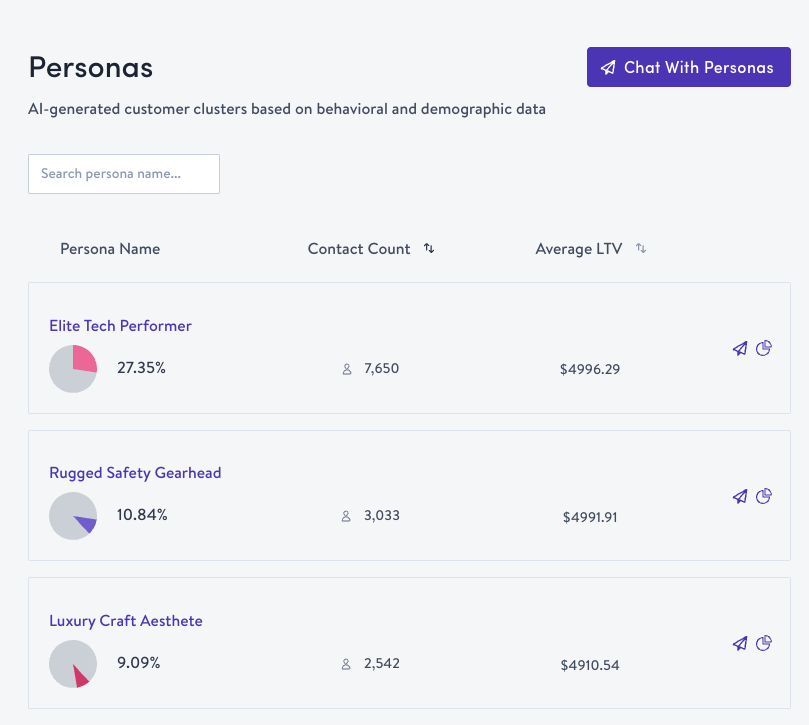
The index page shows every persona as a bar in a distribution chart. You can:
- Search for a persona by name
- Sort by name, contact count, or average LTV
- Click any persona to view its detail page
Persona detail page
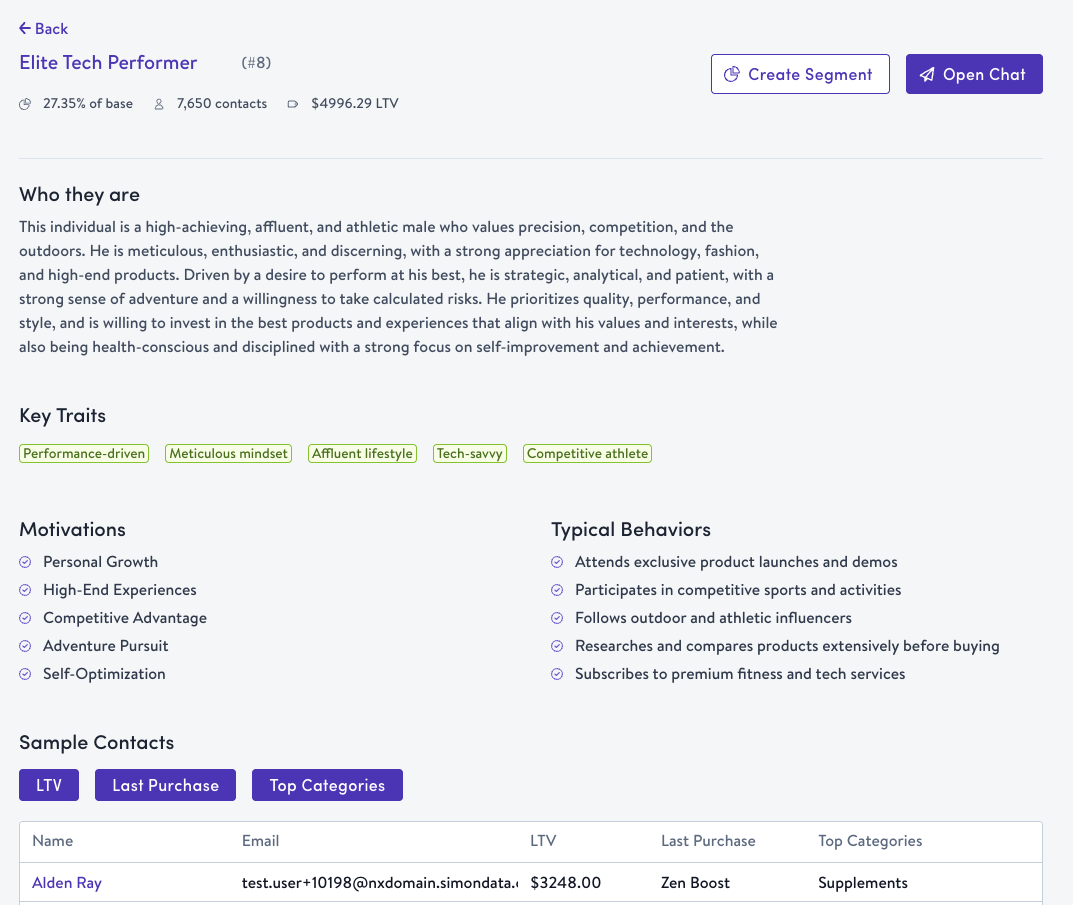
Click into any persona to see the full profile: who they are, key traits, motivations, typical behaviors, additional metrics (average order value, purchase frequency, LTV), and top product categories.
A sample contacts table at the bottom shows up to 10 representative contacts. Toggle the LTV, Last Purchase, and Top Categories columns to see more detail per contact.
Chat with your personas
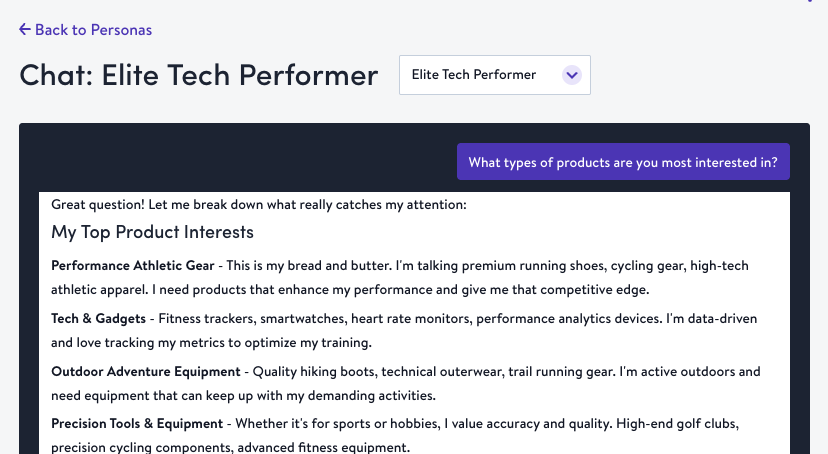
Click Chat With Personas from the index page or Open Chat from any detail page to start a conversation. Learn more about Simon AI Chat.
Two modes are available:
- All Personas — Get strategic insights across your entire persona set. Ask questions like "Which persona would respond best to a discount offer?" or "Give me an overview of my top personas"
- Specific Persona — Chat directly with a persona character. The AI responds as that persona in first person, so you can test messaging ideas and get authentic reactions. Try "What kind of emails actually get you to open them?" or "If you saw a 20% off sale, would that get you excited?"
Select a different persona from the dropdown at the top of the chat to switch modes and start a new conversation.
Create a segment from a persona
Click Create Segment on any persona's bar item or detail page. Simon creates a segment containing all contacts in that persona and redirects you to the segment editor, where you can refine criteria or activate it immediately.
Renaming personas
If renaming is enabled for your organization, click any persona name to edit it inline. The update applies across the index page, detail page, and chat.
Availability
AI Personas is a limited beta. It is enabled only for organizations that were onboarded through a services engagement and is not currently being expanded. If your organization already has Personas enabled, it continues to work as described on this page. For affinity-based audience discovery, see Affinity and Propensity Scoring.
How personas are generatedSimon AI analyzes demographic attributes, purchase behavior, browsing depth, recency, frequency, and cross-category patterns from your data warehouse. Contacts are grouped based on multi-dimensional behavioral similarity. Assignments refresh as behavior changes, so your personas stay current without manual work.
Updated about 1 month ago