
Chats
Simon AI Chat is a single conversational interface where you can explore your data, build campaigns, and execute marketing actions — all in one place. Instead of switching between separate tools, you describe what you need and the chat handles the rest. Behind the chat is Simon's Unified Agent; see Simon AI Agents & Skills for how it works.
Core AI · Included with your Simon platform.
Getting started
Navigate to AI > Chat to open the chat interface. Start typing or choose from suggested prompts to begin. The chat automatically names your conversation based on your first message.
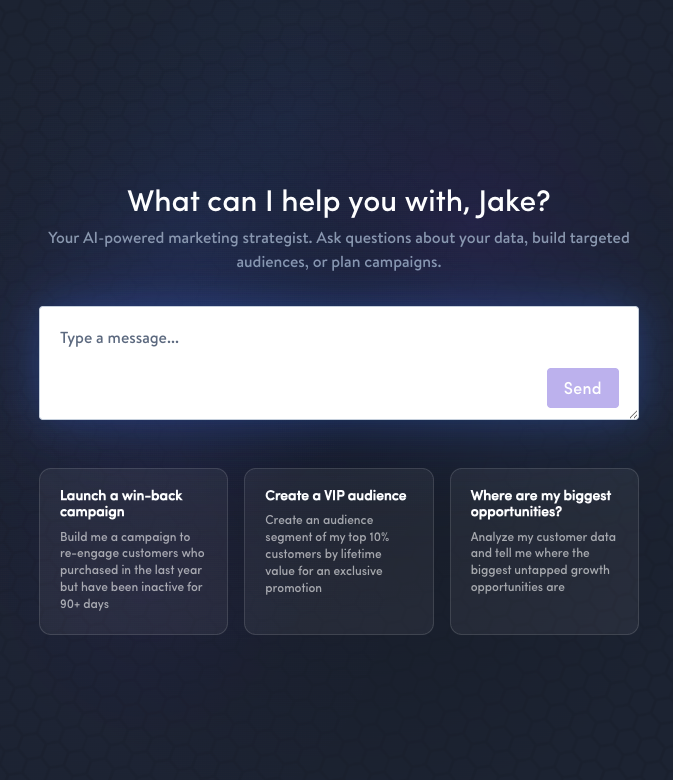
What you can do in Chat
| Capability | What to ask |
|---|---|
| Explore data | "What are the top product categories for customers who purchased in the last 30 days?" (Works against your warehouse-connected schemas.) |
| Build AI-generated datasets | "Create a dataset that scores each contact on likelihood to purchase in the next 7 days" |
| Build & edit segments | "Create a segment of high-value customers who haven't purchased in 90 days" — or ask the chat to edit or remove segments you already have. |
| Build & edit flows | "Set up a winback flow for lapsed buyers with a 10% discount offer" — or ask the chat to edit or remove flows you already have. |
| Build & edit journeys | "Draft a 3-step winback journey for lapsed buyers with a 10% offer" — the chat builds a full multi-step journey, including a real send step for each channel, for you to review before publishing. |
| Review existing work | "Walk me through my 'Lapsed Buyer' journey" — the chat reads and explains the segments, flows, journeys, content, and templates already in your account. |
| Analyze campaigns | "How did last week's promotional send perform — including conversions — compared to the previous week?" |
| Generate content | "Create a promotional email for our spring collection using our standard header and footer" |
| Work with Moments | "What social trends are relevant to my audience right now?" |
| Brainstorm strategy | "Recommend a campaign strategy for increasing repeat purchases this quarter" |
The chat shares context across capabilities, so you can move from analysis to action without restating what you've already established. Ask a question about your data, then use the answer to build a segment, then create a flow targeting that segment — all in one conversation.
Context carries across capabilitiesUnlike working across separate tools, the chat remembers everything from your conversation. Move from data exploration to segment creation to content generation without re-explaining your goal.
Artifacts and results
When the chat performs an action — running a query, building a segment, generating a report — the result appears in a results panel alongside the conversation rather than interrupting the flow. Your work is logged as artifacts so you can reference outputs throughout the conversation.
Any table the chat produces — query results, campaign metrics, a list of journeys — includes a Download CSV button, so you can take results straight into a spreadsheet or share them with your team without copying and pasting.
When it helps, the chat renders flows and journeys as inline diagrams, so you can see how a customer moves through them at a glance — not just read a description.
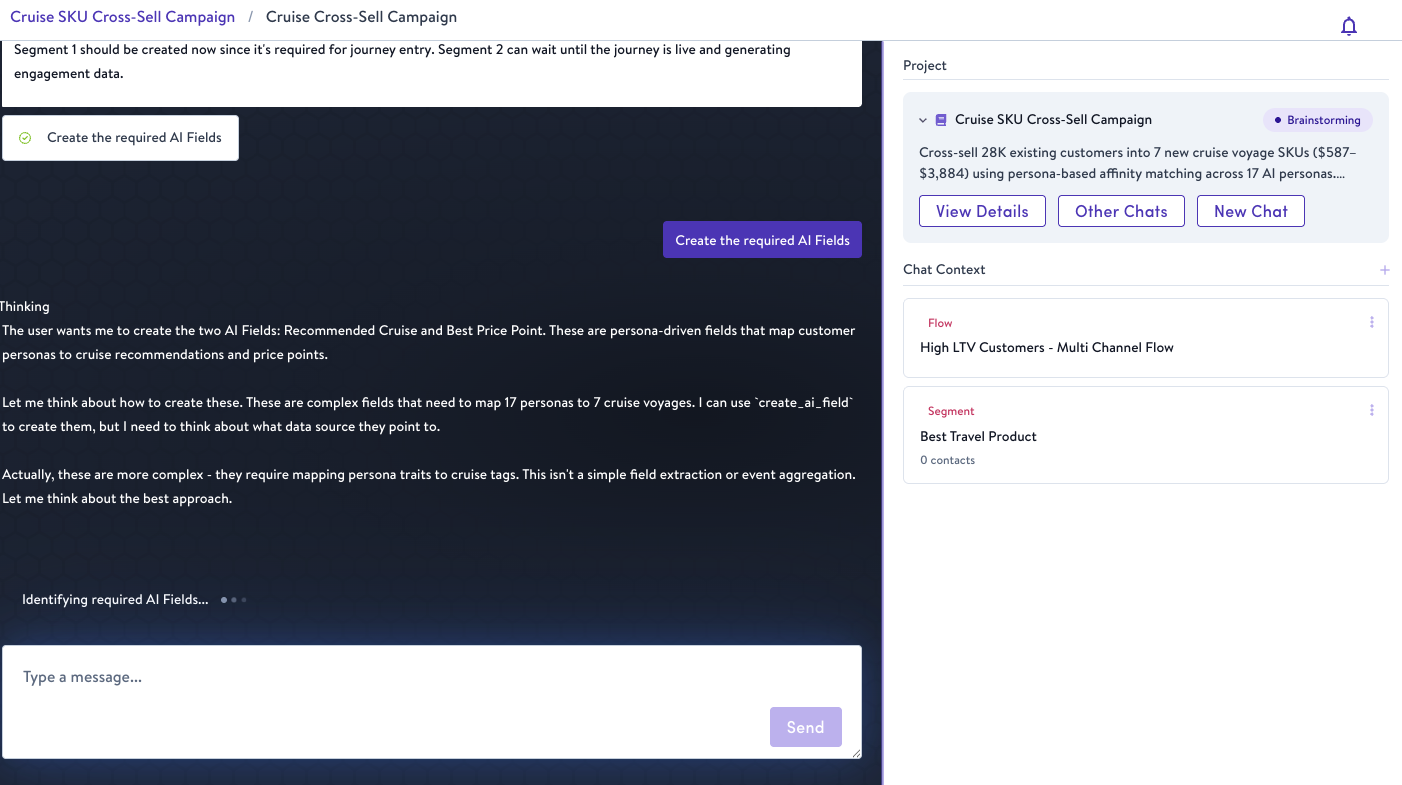
Chat with results panel
Chat history
Conversations are saved automatically and accessible from the left sidebar, organized by recency. Return to any prior conversation and continue where you left off.
You can rename any chat from the sidebar to keep your history organized as your work grows. The sidebar itself can be collapsed when you want more room for results; your most recent chats stay one click away.
Who can see your chats
Chats you start outside a Project are private to you. To collaborate with your team, start the chat inside a Project — everyone with access to that Project can see the chats within it.
You can move an existing chat into or out of a Project at any time. Because a move changes who can see the conversation, Simon shows you a confirmation before it takes effect.
Working inside a Project
When you start a conversation from within a Project, the chat already understands your campaign objective. You don't need to restate your goal — the chat uses it as context for everything from data analysis to content generation.
Project-level context takes precedence over your organization's AI Context where the two overlap, so a Project's specific direction overrides broader defaults.
Multiple conversations can run in parallel within a single Project for teams working across different workstreams.
Related features
- AI Context — Give the chat persistent knowledge about your business
- Projects — Organize conversations around a campaign goal
- Affinity and Propensity Scoring — Score contacts on likelihood to buy, attend, or engage
- Content Creation and Editing — Generate on-brand email and SMS content with the Content Agent, inline in the content editor
- Data Exploration and AI-Generated Datasets — Discover insights and build AI-generated datasets
- AI-Generated Datasets — Composable datasets built from your data with AI
Availability
Simon AI Chat is available to all AI-enabled organizations. Capabilities are being expanded on an ongoing basis.
Updated about 1 month ago