
AI Fields
AI Fields are custom attributes generated from your warehouse data using AI. They transform hard-to-activate signals — product affinities, behavioral patterns, weather readiness, predicted intent — into structured fields you can use in segments, personalization, and campaigns.
Core AI · Included with your Simon platform.
Getting started
You can create AI Fields through the Chat by describing what you want in natural language, or from within a Project's workflow.
- Describe the attribute you want (e.g., "Score each contact on their likelihood to purchase winter apparel")
- The agent analyzes your warehouse and proposes the field logic
- Review the proposed field — including logic explanation, SQL, and sample values
- Approve the field to create it
- Choose an inference schedule: one-time or recurring at a frequency you set
Created through conversationAI Fields are built through the Chat interface. Describe what you want in plain language — no SQL or data engineering required.
What AI Fields do
- Extract insights from unstructured data — Turn product reviews, catalog metadata, and behavioral logs into actionable attributes
- Predict customer behavior — Build inference models that score contacts on likelihood to purchase, churn risk, or category affinity
- Stay fresh automatically — AI Fields support one-time and recurring inference schedules, so computed attributes update on a cadence you choose
- Integrate into your existing workflows — Use AI Fields anywhere you use contact attributes: segments, journeys, flows, and channel actions
AI Field detail page
Each AI Field has a detail page showing:
| Section | What it shows |
|---|---|
| Distribution chart | Visual breakdown of field values across your contact base |
| Sample values | Representative values with statistics |
| Logic explanation | How the field is computed and what inputs it uses |
| Related fields | Other AI Fields that share dependencies with this one |
| Dependencies | The source tables and fields this AI Field depends on |
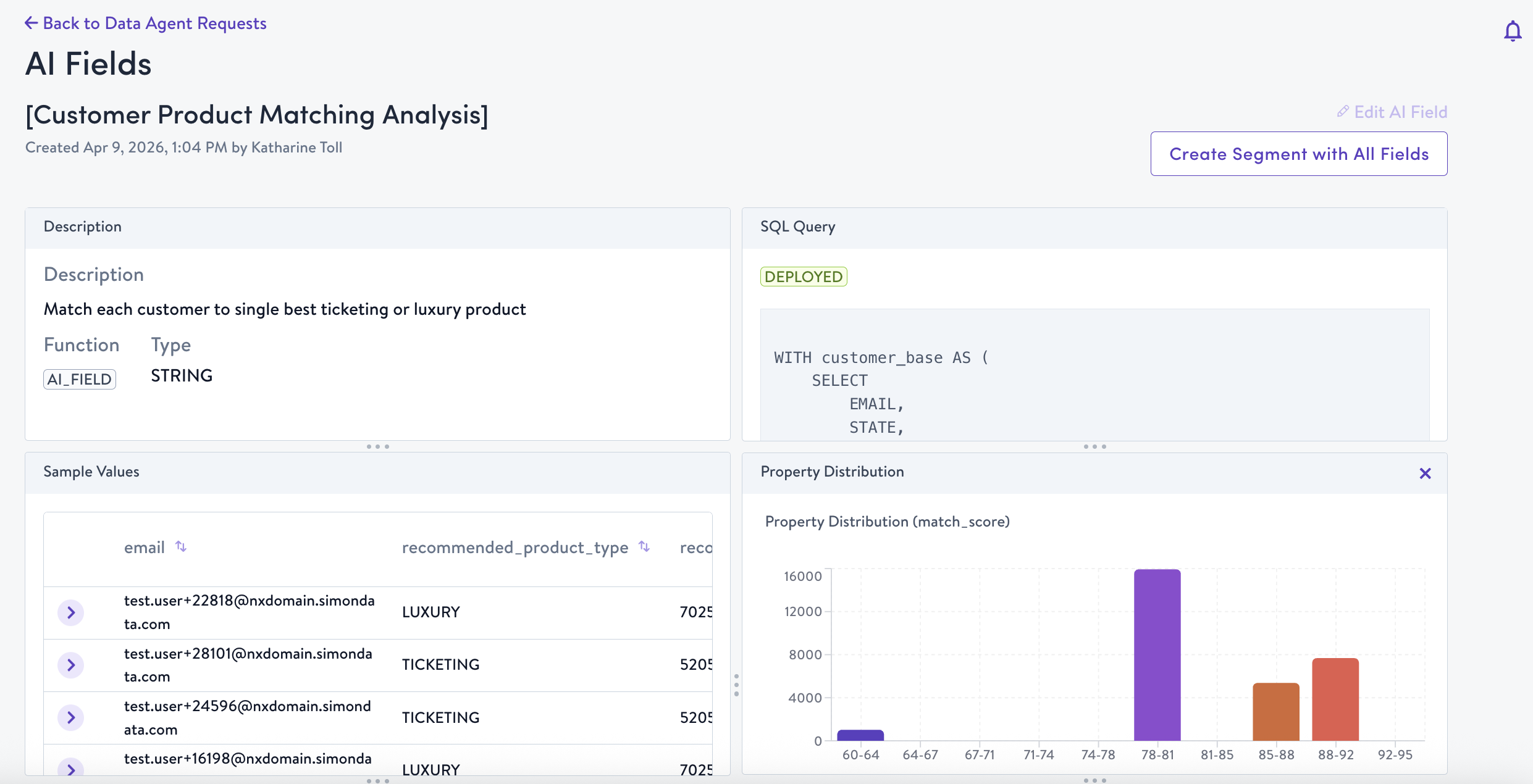
AI Field Details Page
Managing AI Fields
From the AI Fields index, you can:
- Search and filter to find specific fields
- View distribution charts for any field
- Archive fields you no longer need — archived fields stop refreshing but can be restored
- Track dependencies — see which other AI Fields or data sources a field relies on
The "Show Only AI-Generated Content" filter on the content index page helps you find templates and content blocks that use AI Fields.
Inference models
AI Fields can be powered by inference models that predict customer behavior based on historical patterns. Inference models support:
- One-time inference — Run the model once to generate field values
- Recurring inference — Set a schedule to keep predictions fresh as new data arrives
When updating an inference model, a SQL comparison view shows what changed between the previous and updated versions.
Availability
AI Fields are available to all AI-enabled organizations.
Updated 3 months ago